


Build
Create contact, lead, registration, payment, upload, booking, survey, and quote request forms with a visual WordPress builder.
Build advanced WordPress forms for leads, payments, bookings, file uploads, surveys, coupons, reports, CRM follow-up, and connected business workflows from one premium plugin.
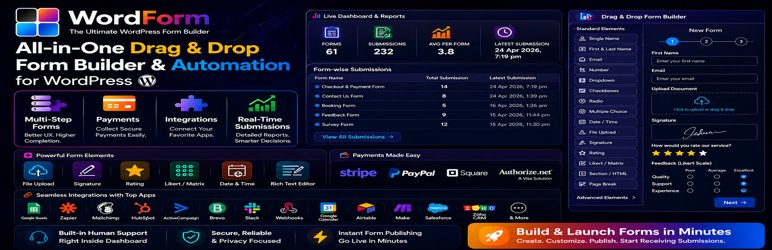
Create contact, lead, registration, payment, upload, booking, survey, and quote request forms with a visual WordPress builder.
Accept payments, coupons, file uploads, signatures, ratings, consent, and clean validated submissions from one workflow.
Route entries into email, CRM, sheets, calendars, webhooks, reports, and business automations without extra handoff steps.
Publish forms in modern page content or controlled template placements.
Launch payment-aware forms with gateways customers already recognize.
Match your spam protection to the traffic and abuse profile of the site.
Move submissions to the rest of your stack after the base form is stable.
Customer signal
WordForm Pro is positioned around real operational work: premium inputs, payment elements, validation, reporting, and connected workflows.
Customer signal
Agencies and operations teams can confirm payment, anti-spam, and integration coverage before checkout without digging through vague marketing copy.
Customer signal
Customers know where docs, downloads, account access, and support live before the payment starts, which is exactly what premium plugin customers expect.
WordForm Pro workflow
WordForm Pro is built for forms that need to do more than collect a message: guide the visitor, validate the entry, handle payments or uploads, and send clean data to the tools your team already uses.
Start with the customer journey, then build the form with clear labels, validation, conditional logic, and responsive layout.
Use anti-spam, CAPTCHA, upload rules, coupons, and payment settings to reduce bad entries and protect paid flows.
Deliver submissions to notifications, CRM, email marketing, sheets, calendars, webhooks, and reports for faster follow-up.
Premium fields, payment controls, validation, uploads, coupons, and notifications support common business form needs.
Stripe, PayPal, Square, and Authorize.Net coverage helps sites sell services, collect fees, and process paid requests.
Make, Slack, Zapier, Google Sheets, Airtable, calendar, email, CRM, webhook, and automation connections keep submissions actionable.
Plans overview
Compare plan options by site coverage, billing type, support terms, and checkout-ready choices. Annual plans include priority in-plugin support while the license is valid; lifetime plans include one year of free support after the one-time payment.
Priority in-plugin support continues during the paid subscription term.
1 site license coverage
Normally $49.99
Annual subscription for 1 site with premium updates and PRO support during the active term.
3 sites license coverage
Normally $149.99
Annual subscription for 3 sites with premium updates and PRO support during the active term.
100 sites license coverage
Normally $499.99
Annual subscription for 100 sites with premium updates and PRO support during the active term.
Includes one year of free support after checkout.
1 site license coverage
Normally $79.99
One-time payment for 1 site with lifetime plugin access and long-term update eligibility.
Plan support terms are shown before checkout so customers can choose the right plan type without hidden assumptions.
Feature Coverage
Explore the premium workflow, feature depth, and everyday use cases before you choose a plan.
Build more than a basic contact form without losing clarity in the visitor flow.
Keep transaction handling and input quality under control from the same product.
Keep submissions useful after the form goes live instead of treating delivery as an afterthought.
Integrations
Customers evaluating premium plugins usually want to know whether the product fits the tools they already run. Keep those answers visible before checkout.
Knowledge Base
Review the most relevant setup and feature guides before checkout or launch so your rollout is faster and easier to support.
WordForm Pro Integrations
Connect WordForm Pro with email tools, CRMs, sheets, calendars, webhooks, and automation services.
Read guideWordForm Pro Payments
Configure payment fields, gateway-ready form flows, coupons, summaries, and payment reporting in WordForm Pro.
Read guideWordForm Pro Settings
Configure general settings, validation, uploads, coupons, payment handling, anti-spam, and reporting in WordForm Pro.
Read guideBest Fit
Rollout Plan
Start with the core workflow, confirm it on the live site, then add the optional layers that make the product more powerful.
Step 1
Start with fields, validation, and submit behavior so the user flow is clear before styling or integrations.
Step 2
Add transactions, coupons, upload rules, reCAPTCHA, or hCaptcha only where the live form actually needs them.
Step 3
Push stable submissions into CRM, email, sheets, calendar, webhook, or automation targets once the base form is proven.