


Write
Generate long-form articles, titles, excerpts, tags, and WooCommerce product copy from guided controls.
Create SEO-ready articles, WooCommerce product copy, GPT image prompts, and indexed AI chat answers from a guided WordPress workflow built for content teams, agencies, and site owners.
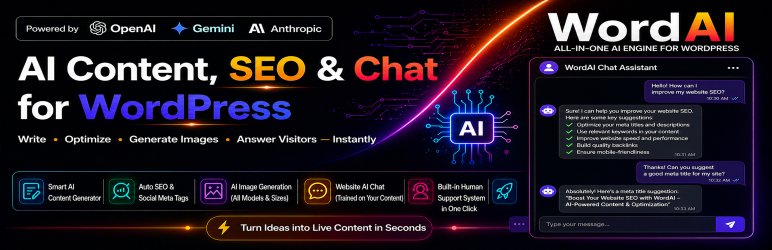
Generate long-form articles, titles, excerpts, tags, and WooCommerce product copy from guided controls.
Shape language, tone, writing style, paragraph depth, SEO direction, and image prompts before publishing.
Use an indexed front-end AI assistant trained on selected WordPress content and product knowledge.
Run the publishing workflow with the provider setup that matches your output and budget goals.
Set image count, size, quality, media save, and featured-image behavior in one screen.
Generate and refine content where WordPress teams already work every day.
Index posts, pages, media, and products before rolling out the front-end AI agent.
Customer signal
Writers and editors can move from title ideation to article generation, image creation, and WooCommerce product copy without bouncing between disconnected tools.
Customer signal
WordAI Pro is suited to teams that want room to evolve their AI workflow without rebuilding the publishing process every time the provider strategy changes.
Customer signal
The product is built around editorial outcomes like titles, drafts, images, WooCommerce support, and indexed assistant rollouts.
WordAI Pro workflow
WordAI Pro is built for repeatable publishing work: choose the content target, tune the model behavior, generate the draft or image, then publish with support available from inside the plugin.
Start with the content goal and the WordPress surface you want to improve.
Choose OpenAI, Gemini, or Claude for writing and GPT image models for visual output.
Move from generated output into real WordPress publishing and customer-facing support workflows.
OpenAI, Gemini, and Claude workflows let teams choose the model strategy that fits their content process.
Posts, pages, WooCommerce products, and media workflows stay connected inside WordPress.
Indexed site knowledge can support visitor questions when the content base is prepared carefully.
Plans overview
Compare plan options by site coverage, billing type, support terms, and checkout-ready choices. Annual plans include priority in-plugin support while the license is valid; lifetime plans include one year of free support after the one-time payment.
Priority in-plugin support continues during the paid subscription term.
1 site license coverage
Normally $49.99
Annual subscription for 1 site with premium updates and PRO support during the active term.
3 sites license coverage
Normally $149.99
Annual subscription for 3 sites with premium updates and PRO support during the active term.
100 sites license coverage
Normally $499.99
Annual subscription for 100 sites with premium updates and PRO support during the active term.
Includes one year of free support after checkout.
1 site license coverage
Normally $79.99
One-time payment for 1 site with lifetime plugin access and long-term update eligibility.
Plan support terms are shown before checkout so customers can choose the right plan type without hidden assumptions.
Feature Coverage
Explore the premium workflow, feature depth, and everyday use cases before you choose a plan.
Control the writing output instead of relying on one generic prompt box.
Keep visual generation close to the content workflow so production stays faster and cleaner.
Roll out site-aware assistant experiences after your writing workflow is already stable.
Integrations
Customers evaluating premium plugins usually want to know whether the product fits the tools they already run. Keep those answers visible before checkout.
Knowledge Base
Review the most relevant setup and feature guides before checkout or launch so your rollout is faster and easier to support.
WordAI Pro Assistant
Understand the indexed AI assistant, chat behavior, knowledge flow, and rollout guidance for WordAI Pro.
Read guideWordAI Pro Images
Set GPT image models, quality, size, media-library behavior, and featured-image handling for WordAI Pro.
Read guideWordAI Pro Content
Set language, writing style, tone, title length, paragraph structure, and repeatable publishing preferences before generating WordPress content.
Read guideBest Fit
Rollout Plan
Start with the core workflow, confirm it on the live site, then add the optional layers that make the product more powerful.
Step 1
Save the preferred OpenAI, Gemini, or Claude credentials first so the rest of the workflow can be tested on a live connection.
Step 2
Set language, tone, style, title length, and paragraph targets before editors start using the plugin daily.
Step 3
Turn on GPT image generation and indexed AI-agent features after the content workflow is already stable.